


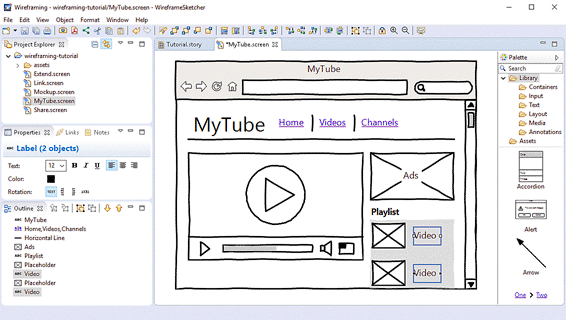
Jakarta, cssmayo.com – Wireframing Tools play a vital role in the early stages of digital product design because they help teams sketch, structure, and test layouts before full visual design or development begins. A wireframe acts as a blueprint for a website, app, or software interface, showing how information, navigation, and functionality will be arranged. By using the right wireframing tools, designers and teams can explore ideas quickly, communicate layout decisions clearly, and reduce costly revisions later in the process.
What makes Wireframing Tools especially valuable is their ability to simplify complexity. Before colors, branding, and polished visuals enter the conversation, teams need a way to focus on structure and user flow. Good wireframing tools make it easier to map screens, organize content, and align stakeholders around the basic experience. They also support collaboration, iteration, and early usability thinking. In short, Wireframing Tools help transform rough ideas into clear product plans before the pixels put on their fancy clothes.
What Wireframing Tools Are
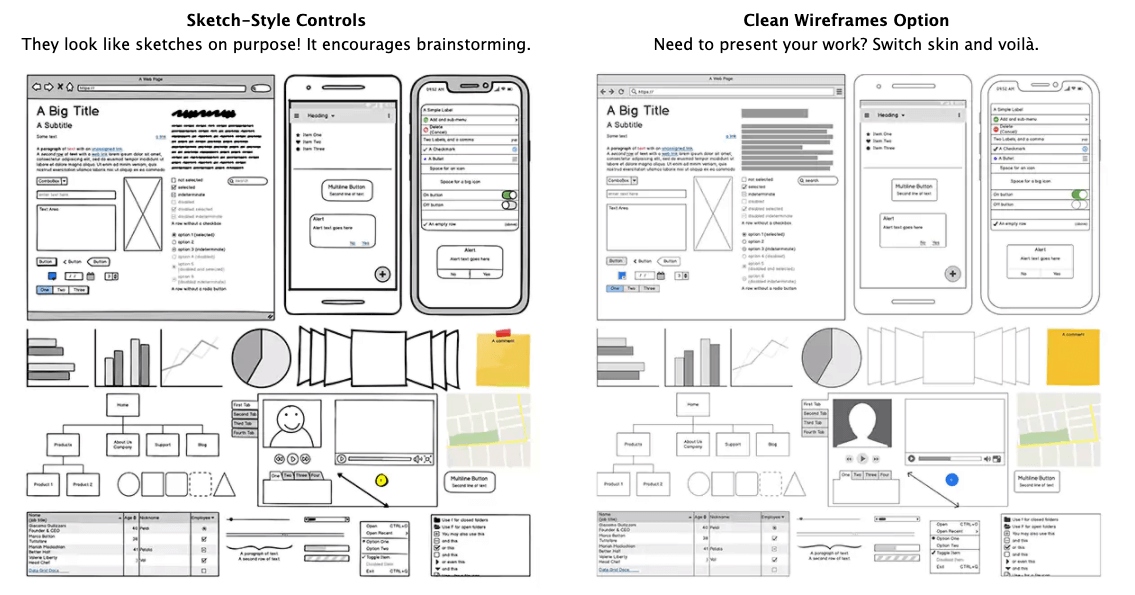

Wireframing Tools are software applications or platforms used to create low-fidelity or mid-fidelity layouts for digital products. These layouts represent the structure of pages or screens, helping teams define placement, hierarchy, navigation, and functionality before detailed design begins.
Common functions of Wireframing Tools include:
- Sketching screen layouts
- Planning user flows
- Organizing content hierarchy
- Mapping navigation structures
- Testing early interface ideas
- Supporting team collaboration
- Sharing concepts with stakeholders
- Preparing for prototyping and design
These functions make Wireframing Tools essential in product planning and UX design workflows.
Why Wireframing Tools Matter
Their value extends beyond simple sketching.
Clarify Product Structure
Wireframes help teams understand how content and features will be arranged before investing in polished design.
Improve Collaboration
They provide a shared visual reference for designers, developers, product managers, and stakeholders.
Save Time and Cost
Early planning helps identify layout problems and usability concerns before development begins.
Support Better UX Decisions
Because wireframes focus on structure and flow, they help teams think more clearly about user needs and task completion.
This is why Wireframing Tools are foundational to efficient and thoughtful digital product design.
Key Features to Look for in Wireframing Tools
Not all tools offer the same strengths, so certain features matter more depending on the workflow.
Ease of Use
A good wireframing tool should make it easy to sketch layouts quickly without unnecessary complexity.
Collaboration Support
Real-time editing, commenting, and sharing features help teams work together more effectively.
Component Libraries
Prebuilt UI elements speed up layout creation and improve consistency across screens.
Prototyping Options
Some wireframing tools allow teams to move from static layouts into clickable flows.
Export and Handoff Capabilities
Useful export options and developer handoff features help bridge the gap between design and implementation.
Together, these features determine how practical and efficient a wireframing tool will be.
Wireframing Tools Overview Table
Below is a concise summary of what strong Wireframing Tools should provide.
| Feature | Main Role | Why It Matters |
|---|---|---|
| Layout creation | Builds screen structure | Helps visualize early concepts |
| Collaboration | Supports team input and review | Improves alignment and feedback |
| UI components | Speeds up design work | Increases consistency |
| Prototyping | Simulates user flow | Helps test ideas early |
| Export and handoff | Connects planning to development | Improves workflow continuity |
Together, these features explain what makes Wireframing Tools useful in modern design processes.
Popular Types of Wireframing Tools
Different tools serve different design needs and team preferences.
Dedicated Wireframing Platforms
These are built specifically for low-fidelity and structural planning, making them ideal for early concept work.
UI Design Tools with Wireframing Features
Many full design platforms also support wireframing, allowing teams to move from rough structure to polished design in one environment.
Collaborative Whiteboard Tools
These are useful for brainstorming, rough flows, and early team ideation, especially in remote settings.
Pen-and-Paper Style Digital Tools
Some tools simulate hand-drawn wireframes, which can help keep conversations focused on structure rather than polish.
These categories show that the best choice depends on workflow, team size, and project goals.
What Makes the Best Wireframing Tools
The best Wireframing Tools are the ones that help teams think clearly, iterate quickly, and communicate effectively. A tool does not need to be the most advanced to be useful. It needs to support the right stage of the design process with the right level of speed, clarity, and collaboration. For some teams, that means rapid low-fidelity sketching. For others, it means seamless movement from wireframes into prototypes and final UI design.
The most effective Wireframing Tools help teams:
- Visualize layouts early
- Explore multiple ideas quickly
- Align around product structure
- Improve user flow planning
- Reduce confusion before development
This is why choosing the right wireframing tool can strengthen the entire design process.
Final Thoughts
Wireframing Tools are essential for sketching and planning digital product layouts because they help teams define structure, test ideas, and organize user experiences before detailed design begins. They improve clarity, support collaboration, and reduce the risk of costly changes later in the workflow. Whether used for simple page sketches or more advanced product planning, wireframing tools provide the foundation for better design decisions and smoother development outcomes.
The key takeaway is simple. Wireframing Tools matter because they turn early ideas into clear layout plans that guide effective digital product design.
Explore our “”Techno“” category for more insightful content!
Don't forget to check out our previous article: Frontend Development: Crafting User Interfaces

